
On this page
Resurfacing, also called turning, trims a thin layer off a rotor so both faces are flat and smooth again. Route 66 Auto Repair in Upland resurfaces rotors only when the measurement says there is metal to spare. If a cut would leave the rotor under its minimum thickness, we tell you plainly and recommend new rotors instead.
When does resurfacing make sense?
Resurfacing fixes surface problems: light scoring, a glazed face, or a small amount of thickness variation that makes the pedal pulse. It keeps a rotor in service when the rotor itself is still healthy and thick.
It cannot save a rotor that is cracked, pitted with deep rust, heat-spotted into the metal, or already thin. Every cut removes material, and less material means the rotor heats up faster and is more likely to develop pulsation again. Many late-model cars ship with light rotors that have very little to give.
How do we decide there is enough metal?
We take micrometer readings at several points around the rotor, then read the minimum thickness number cast into it. The question is not whether the rotor is above minimum today. It is whether it will still be above minimum after the cut needed to clean it up, with room left for the new pads to wear it further. Our brake rotor thickness check page explains those readings in more detail.
If the answer is close, we say so and give you both options. Your written estimate shows every step, including the reading before and the expected thickness after.
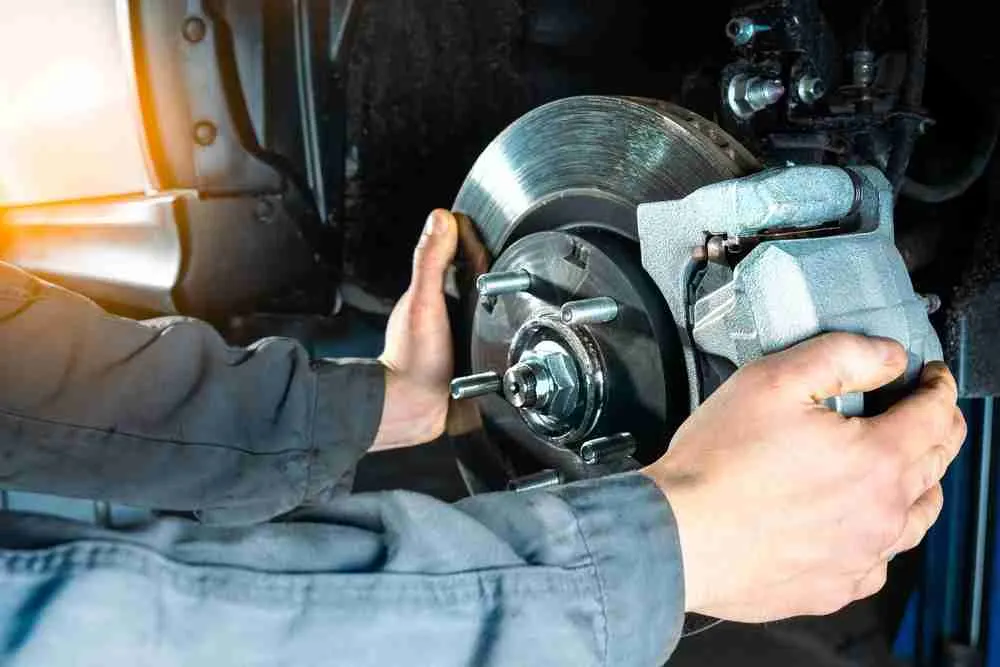
Our rotor resurfacing process
Step 1: Measure thickness and runout
We record thickness at several points and check how much the rotor wobbles on the hub.
Step 2: Check the spec
The reading is compared with the minimum thickness marked on the rotor.
Step 3: Resurface
Both faces are cut in one setup so they stay parallel, then given a non-directional finish that helps new pads seat.
Step 4: Re-measure and refit
We confirm the finished thickness, clean the hub face, and reinstall the rotor with new pads.
What's included in rotor resurfacing
Included on the work order
- 01Thickness readings before and after the cut
- 02Runout check
- 03Comparison with the rotor's minimum thickness
- 04Hub face cleaning before refitting
- 05Written estimate showing every step
- 06Road test for pulsation
Is brake pulsation urgent?
Need now: call
- A steering wheel that shakes hard when braking at freeway speed
- A rotor already under its minimum thickness
Need later: book
- A mild pedal flutter felt only in hard stops
- Light scoring with pads that still have life
Resurfacing or replacement: how do costs compare?
After resurfacing
Bed the new pads in gently over the first few days. Try not to sit with the brakes clamped hard right after a long downhill, because a very hot rotor can take an uneven imprint from a stationary pad. If the pulse comes back, bring the car in so we can check runout, the hub and suspension parts that can add to the shake.
Frequently asked questions
What makes my brake pedal pulse when I stop?
Usually one part of a rotor has become slightly thicker than another. Each turn pushes the pads in and out, which you feel through the pedal or wheel. Worn suspension parts can make the shake feel stronger.
Can every rotor be resurfaced?
No. If the rotor is near its minimum thickness, cracked or badly rusted, a cut would leave it unsafe or short-lived. We measure before we ever recommend resurfacing.
Will resurfaced rotors last as long as new ones?
Usually not quite, because they start thinner and hold less heat. On a rotor with plenty of thickness, the gap is small. On a rotor near the limit, it is large, which is why we sometimes say replace instead.